Prepare your choices once so a short scheduling task stops carrying over into tomorrow.
Mitra Team · 3 min read
Your appointment is Tuesday at three, and a meeting has just landed in the same slot. The business answers its phone while you’re busiest. You meant to call at lunch, but another task took over. The difficulty is finding an opening in both schedules, then making decisions quickly once someone answers.
Decide the alternatives before calling
Write down a few times in order of preference. Add what you are willing to change and what should stay fixed. This helps whether you call yourself or ask someone to call on your behalf.
Decide in advance | Example instruction |
|---|---|
Preferred times | Thursday after five, then Saturday morning |
Flexibility | Another stylist is fine |
Spending limit | Ask me before agreeing to an added charge |
Existing booking | Keep it unless a replacement is confirmed |
No suitable option | Report the choices and let me decide |
Keeping an existing appointment only makes sense if you can still attend it or decide before its cancellation deadline. Include what should happen if the deadline arrives without a replacement.
Choose the easiest available route
Check whether the business offers an online rescheduling option. If the request needs a conversation, set aside a call window or ask a trusted person to help. Mitra can also make calls on your behalf and provide a summary or transcript. Give any caller the same specific instructions and limits.
For example: “Ask to move my Tuesday afternoon haircut to Thursday after five or Saturday before eleven. Another stylist is fine. Ask about any fee before agreeing. If neither time is available, get the alternatives and check with me before changing the booking.”
The business may need to speak to you directly or may not allow someone else to change the appointment. That is a possible outcome to plan for, not a reason to invent answers on your behalf.
Verify what was actually agreed
After the call, check the date, time, location, service, and any fee. Distinguish “we have a request” from “your appointment is confirmed.” If the business normally sends a confirmation, check it against the call result.
Update your calendar only after you understand the outcome. If the original appointment remains in place, decide what to do with it rather than letting it become an accidental no-show.
Make the next appointment easier
Notice which missing instruction caused another conversation: a time window, provider preference, or fee limit. Add that detail to your next request. The useful measure is whether the task ended with a clear appointment status and fewer follow-up decisions.
Common questions
What if none of my preferred times is available?
Ask for alternatives, then decide whether to keep, move, or cancel the original booking under the business’s terms.
What if a question falls outside my instructions?
Have the caller check with you rather than assume. A brief pause is better than an appointment you cannot use.
Read next: what an AI can do when it makes a call for you.
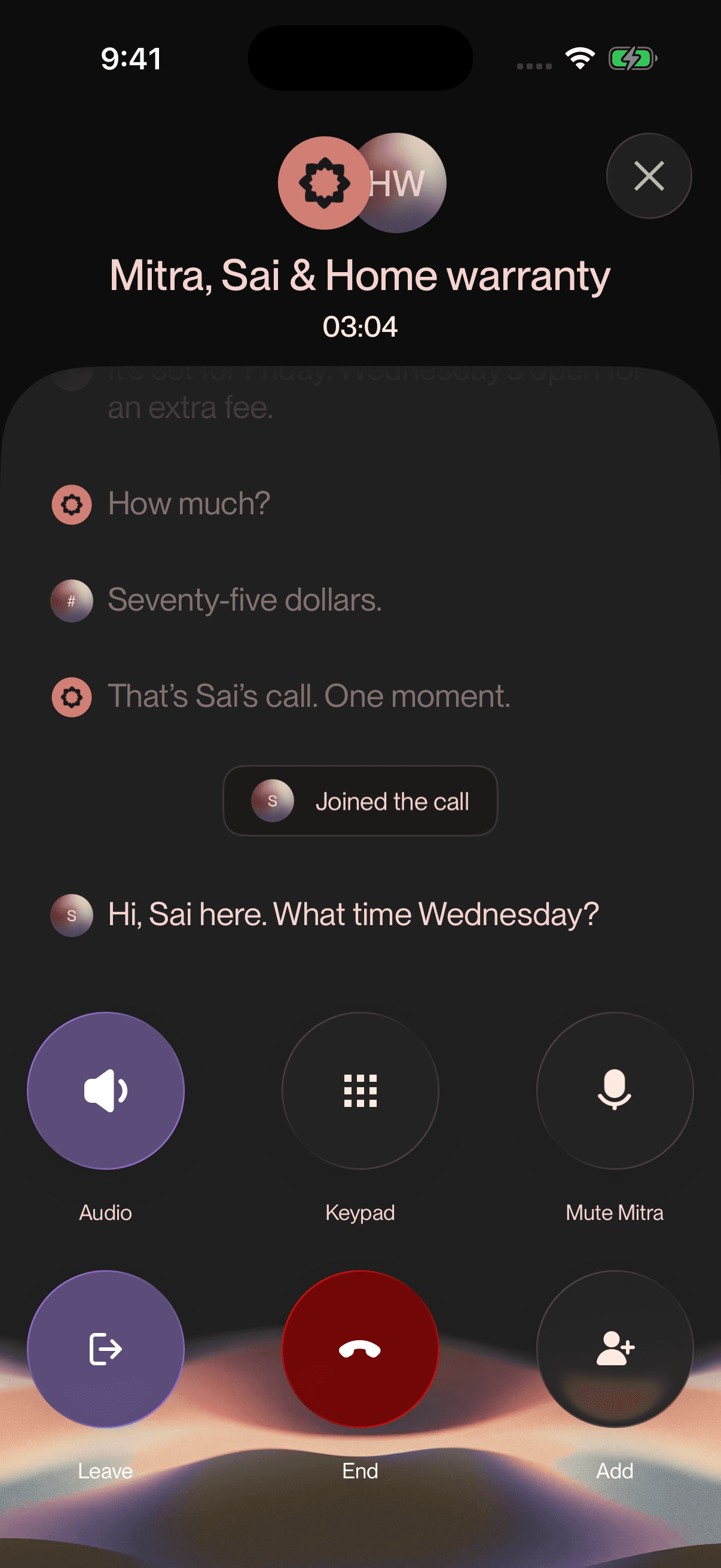
Mitra’s actual iOS live-call interface with a staged appointment conversation. The example shows the user joining when a price decision needs their attention.